
No computador que tem os menus sobrepostos devem realizar o seguinte procedimento:
- Tecla do Windows + R
- Aparece a aplicação Run
- Copiar a instrução: shell:::{80F3F1D5-FECA-45F3-BC32-752C152E456E}
- Clicar OK.
- Aparece o ecrã: Tablet PC Settings
- Clicar no separador: Other.
- Escolher: Left-Handed
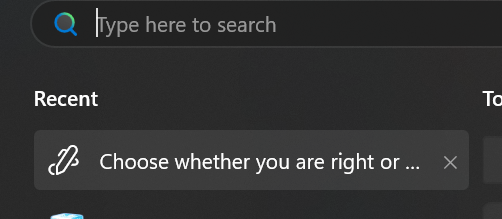
Para o WINDOWS 11 este menu não existe, para fazer a alteração tem de ser no menu abaixo:
pesquisando na taskbar “left hand”:
Pedidos semelhantes: 2004854 / 60419 (SAC)
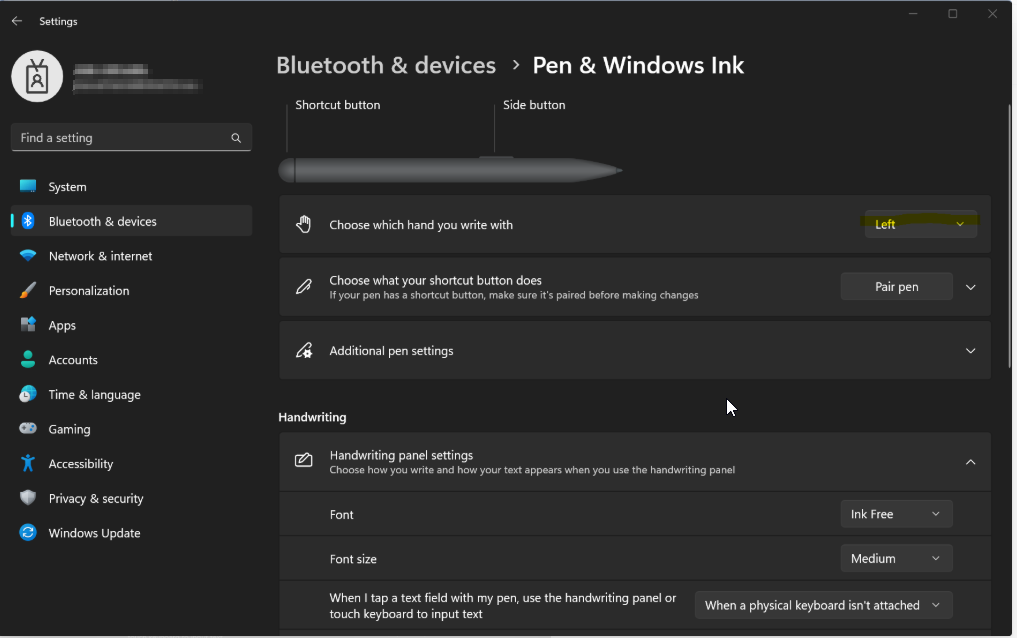
Alternativa para Windows 11
Make Windows 10 Open Context Menu to The Right Using Registry Editor
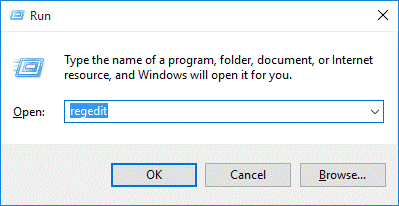
- Press the Windows key + R to open the Run box. Type regeditand press Enter.
- In the left pane of Registry Editor, navigate to the following key:
HKEY_CURRENT_USER\Software\Microsoft\Windows NT\CurrentVersion\Windows
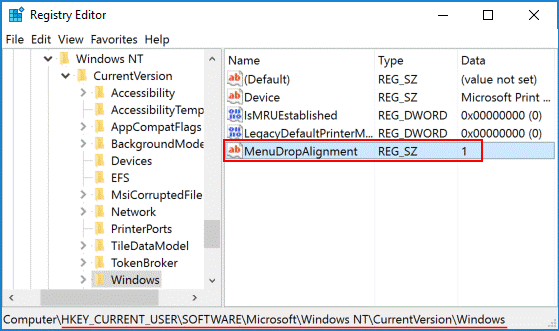
You should see a value named MenuDropAlignment in the right pane (If it doesn’t exist, create a new string value named MenuDropAlignment). Double-click on it to modify.
- In order to make context menu open to the right side, type 0 in the Value data field and click OK.
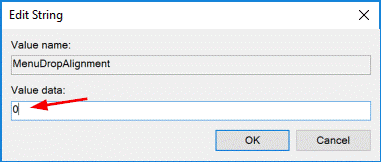
If you want Windows to show context menu to the left side, just set MenuDropAlignment back to 1.
- After you edit the value, you need to sign out and sign in back to your Windows account or restart your computer. Windows should place the context menu on the right side.